
5.3. Pandas Plot Styling#
5.3.1. Styling Options#
5.3.1.1. Plotting Styles#
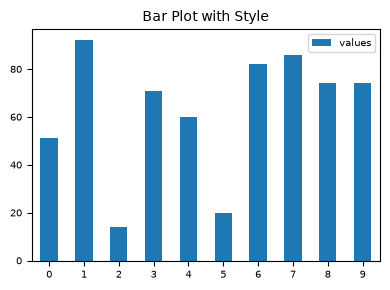
matplotlib offers a range of pre-configured plotting styles. Setting the style can be used to easily give plots the general look that you want. To set the style, the syntax is:
matplotlib.style.use(my_plot_style)
To check the aviaible style in the environment, use
plt.style.available
Uncomment/comment the following styles one by one to see the style effect.
plt.style.use("default")        ### reset to default style
# plt.style.use("ggplot")
# plt.style.use("bmh")
# plt.style.use("classic")
# plt.style.use("seaborn-v0_8-muted")


np.random.seed(42)              ### for reproducibility
df_test = pd.DataFrame({'values': [np.random.randint(0, 100) for num in range(10)]})
df_test.plot.bar(figsize=(4, 3), fontsize=7);
plt.title("Bar Plot with Style", fontsize=10);
plt.legend(fontsize=7, loc="best", bbox_to_anchor=(1, 1));
plt.tick_params(axis='x', rotation=0)
plt.tight_layout()
5.3.1.2. Color Maps#
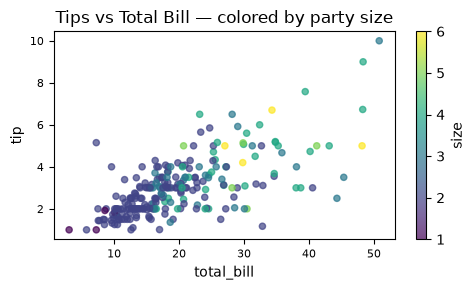
You can use c to color based off another column value.
Use cmap to indicate colormap to use.
For all the colormaps, check out: http://matplotlib.org/users/colormaps.html
tips = sns.load_dataset("tips")

ax = tips.plot(
    kind="scatter",
    x="total_bill", y="tip",
    c="size",              # column to map to color
    colormap="viridis",
    figsize=(5, 3),
    alpha=0.7,
    fontsize=8,
    title="Tips vs Total Bill — colored by party size"
)

plt.tight_layout()
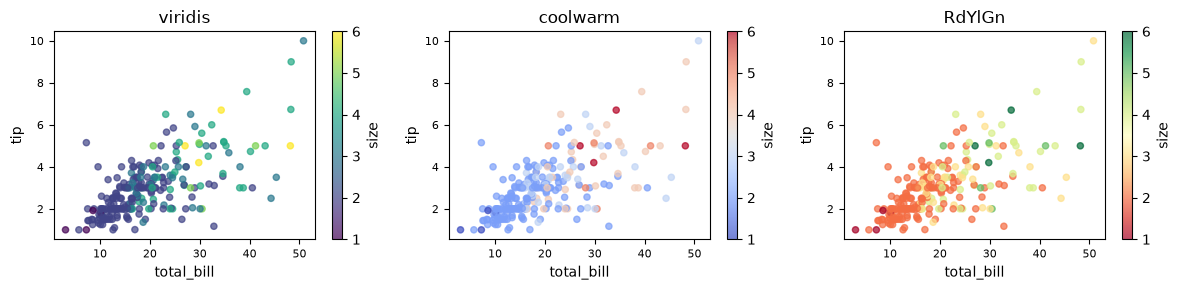
Different colormaps can be used for different presentation effects. To see the available colormaps, use the syntax:
plt.colormaps()
fig, axes = plt.subplots(1, 3, figsize=(12, 3))

for ax, cmap in zip(axes, ["viridis", "coolwarm", "RdYlGn"]):
    tips.plot(
        kind="scatter",
        x="total_bill", y="tip",
        c="size",
        colormap=cmap,
        alpha=0.7,
        fontsize=8,
        ax=ax,
        title=cmap
    )

plt.tight_layout()
5.3.1.3. Size#
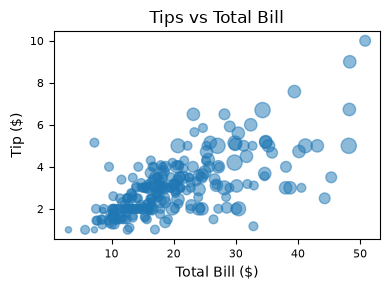
Or use s to indicate size based off another column. s parameter needs to be an array, not just the name of a column:
tips = sns.load_dataset("tips")

ax = tips.plot(
    kind="scatter",
    x="total_bill",
    y="tip",
    s=tips["size"] * 20,
    figsize=(4, 3),
    alpha=0.5,
    fontsize=8,
    title="Tips vs Total Bill"
)

ax.set_xlabel("Total Bill ($)")
ax.set_ylabel("Tip ($)")
plt.tight_layout()
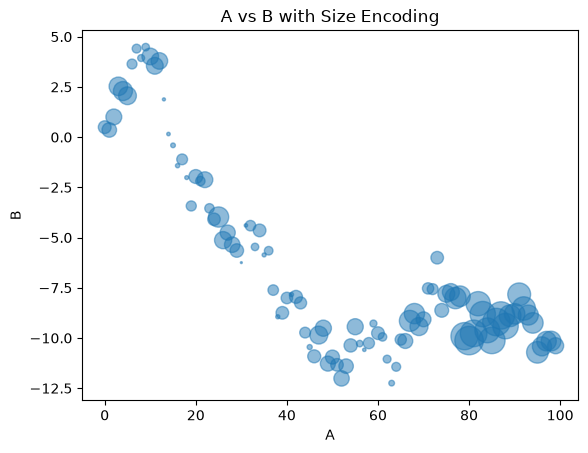
### EXERCISE 5: Size-Encoded Scatter
# Goal: Add a third variable using marker size.
# Requirements:
# 1) Plot `A` vs `B` from `df1`.
# 2) Use point size based on `abs(C) * 60`.
# 3) Set `alpha=0.5` so overlap stays readable.
# Stretch: Compare size encoding to color encoding and note tradeoffs.

# Your code here
# Sample DataFrames for exercises
import numpy as np

np.random.seed(42)

df1 = pd.DataFrame({
    'A': np.random.randn(100),
    'B': np.random.randn(100),
    'C': np.random.randn(100)
})

# Use positive values to support stacked area plots
df2 = pd.DataFrame({
    'a': np.random.rand(50),
    'b': np.random.rand(50),
    'c': np.random.rand(50)
})
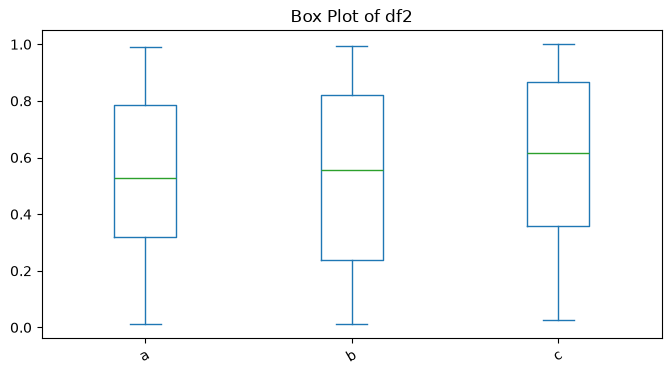
### EXERCISE 6: Box Plot Comparison
# Goal: Compare spread and outliers across `df2` columns.
# Requirements:
# 1) Create a box plot for all numeric columns in `df2`.
# 2) Use `figsize=(8, 4)`.
# 3) Set title to "Box Plot of df2".
# Stretch: Rotate x tick labels by 30 degrees for readability.

# Your code here
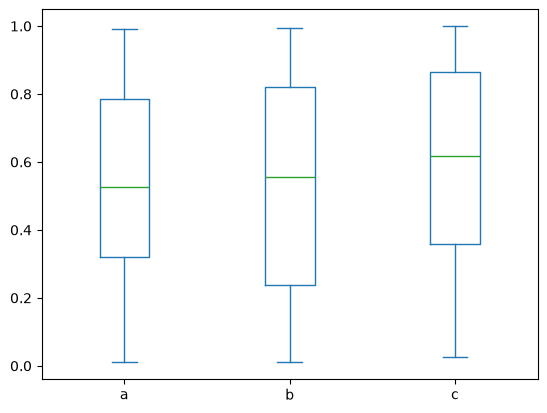
# Solution
df2.plot.box()
<Axes: >
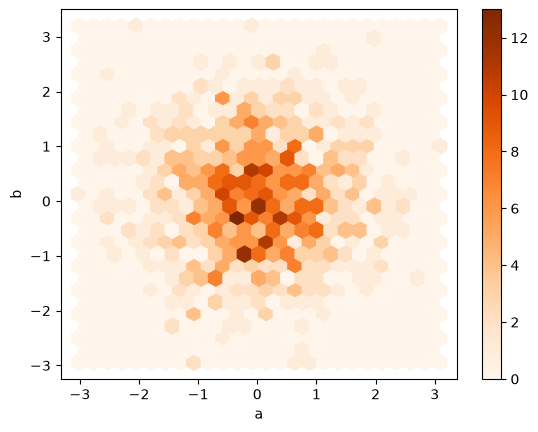
### EXERCISE 7: Hexbin for Dense Data
# Goal: Visualize dense bivariate data without overplotting.
# Requirements:
# 1) Use the existing `df` with columns `a` and `b`.
# 2) Create a hexbin plot with `gridsize=25`.
# 3) Use a visible colormap (for example, `cmap='Oranges'`).
# Stretch: Change `gridsize` to 15 and 40 and compare detail vs smoothness.

# Your code here
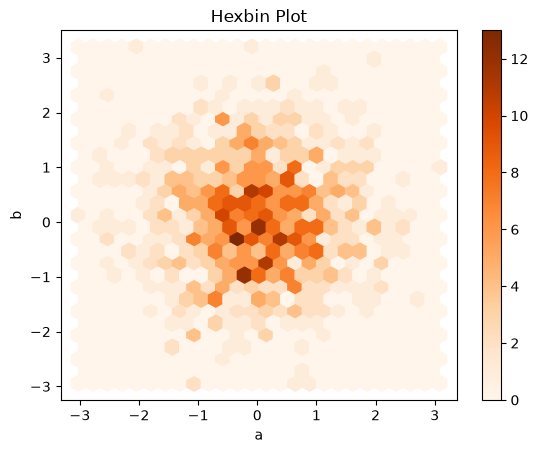
# Solution
df.plot.hexbin(x='a', y='b', gridsize=25, cmap='Oranges')
<Axes: xlabel='a', ylabel='b'>
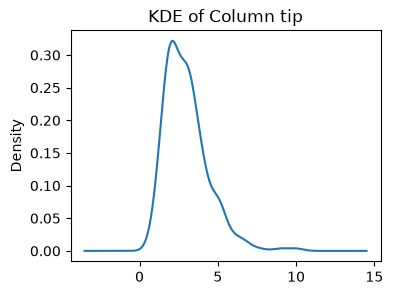
### EXERCISE: KDE for a Single Variable
# Goal: Plot a smooth estimate of one distribution.
# load dataset if needed tips = sns.load_dataset("tips")
# Requirements:
# 1) Plot KDE for `tips['tip']`.
# 2) Set `figsize=(4, 3)`.
# 3) Add title "KDE of Column tip".
### Your code starts here.


### Your code ends here.
### Solution

tips['tip'].plot(kind="kde",
                 figsize=(4,3),
                 title="KDE of Column tip")
<Axes: title={'center': 'KDE of Column tip'}, ylabel='Density'>
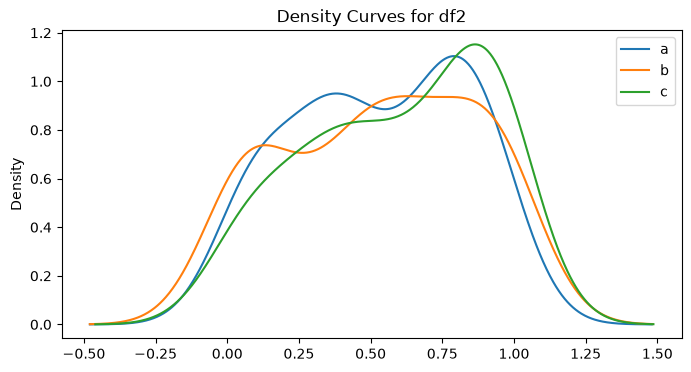
### EXERCISE:Multi-Column Density Plot
# Goal: Compare distributions of all `df2` columns on one chart.
# Requirements:
# 1) Create a density plot for `df2`.
# 2) Set `figsize=(8, 4)`.
# 3) Add title "Density Curves for df2".
# Stretch: Keep only two columns and compare how interpretation changes.

# Your code here
5.3.2. Section Practice#
Use this short exercise to check the main workflow from this section.
### Exercise: Plan a Pandas Plot Styling Chart
# A team wants to compare sales across four regions.
# Create two lists named regions and sales. Then print the region with the highest sales.
### Your code starts here


### Your code ends here
Highest sales region: South
### Solution
regions = ["North", "South", "East", "West"]
sales = [240, 215, 260, 230]
best_index = sales.index(max(sales))
print(regions[best_index])
East